
"Have map, need hexes..." Topic
8 Posts
All members in good standing are free to post here. Opinions expressed here are solely those of the posters, and have not been cleared with nor are they endorsed by The Miniatures Page.
Please don't call someone a Nazi unless they really are a Nazi.
For more information, see the TMP FAQ.
Back to the Computer Stuff Plus Board
Areas of InterestGeneral
Featured Hobby News Article
Featured Ruleset
Featured Showcase Article
Featured Profile Article
Current Poll
|
| richarDISNEY | 06 Jun 2012 10:04 a.m. PST |
Is there a program out there that can overlay hexes on an image map for you? i.e. I have a large google (4X6) map, and now I want to do 2" hexes over it on the computer, and then print it out. Is there a way to do this easily?
 |
| Steve Johnson | 06 Jun 2012 10:17 a.m. PST |
Depending on the map file format, you could import it into a computer drafting program and do it. Steve |
| Jovian1 | 06 Jun 2012 11:21 a.m. PST |
You mentioned map, computer, and easy in the same sentence. I think you have your answer already!  If you have access to a program like Adobe Creative Suite, I'm certain that it can be done, easy is another matter all together. If you can import it into another program as an image file, you could probably do it a bit easier. |
| pphalen | 06 Jun 2012 11:31 a.m. PST |
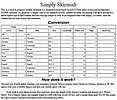
|
| pphalen | 06 Jun 2012 11:33 a.m. PST |
Better site, selectable paper and hex size:
link I'm no adobe expert, but I'm guessing you could make the hexes the water mark and then layer the image on top (or just print twice) |
| napthyme | 06 Jun 2012 11:33 a.m. PST |
dunjinni would do that, but I am not sure it would in 2 inch hexes. |
| the Gorb | 07 Jun 2012 3:41 a.m. PST |
You can use Gimp (free), set your map as one layer then bring in your grid as a new layer. Regards, the Gorb |
| richarDISNEY | 07 Jun 2012 7:58 a.m. PST |
THANK YOU GORB!
That is exactly what I needed!
|
|




 tells something about herself.